Build Your Research Vault: From Blank Folder to Connected Knowledge in 30 Minutes
This is a hands-on tutorial for Windows users. For the concept behind Laura, see Building Laura. For real-world examples, see Laura in the Wild.
You’ve heard about AI research tools. Maybe you’ve tried them - asked ChatGPT to explain something, got a helpful answer, then realised a week later you’d lost it entirely. The knowledge didn’t stick because it was never really yours.
This guide shows you a different approach. In about thirty minutes, you’ll build a structured research vault on a topic you probably already know something about: Disney animation. By the end, you’ll have interconnected notes, tracked sources, open questions, and a system you can apply to any research domain.
No technical expertise required. Just follow along.
What We’re Building
We’re going to research a simple question: What made Disney animation revolutionary?
By the end, your vault will contain:
- Concept notes explaining key innovations (the multiplane camera, the principles of animation, synchronized sound)
- Source notes tracking where information came from
- Question notes capturing gaps worth investigating
- A map of content connecting everything together
More importantly, you’ll understand the pattern - so you can apply it to your own research interests.
What You’ll Need
Let’s be honest about what this requires - and why.
Obsidian (free) A note-taking app that stores your notes as simple files on your computer. Unlike Notion or Evernote, you own your data completely. Download Obsidian here and install it like any other app.
Claude Pro or Max subscription (paid - $20/month or $100/month) Laura needs Claude’s ability to create and edit files on your computer - not just chat. This capability is only available through Claude Code, which requires a paid Claude subscription. The free tier won’t work for this.
Why can’t this be free? Claude Code’s file-writing capability is what makes Laura different from a chatbot. She doesn’t just answer questions - she builds your vault. That requires the paid tier. I’m exploring ways to make this more accessible in future.
Those costs aren’t forever. Once you’ve created your vault, it’s yours - plain markdown files on your local machine. Back it up with git, sync it to the cloud, update it manually with your own research. The subscription builds the vault; you own the result.
Claude Code Once you have a Claude subscription, install Claude Code by following Anthropic’s installation guide. It runs in your computer’s command line.
Git (free)
A tool for downloading code. You may already have it. To check: open PowerShell (press the Windows key, type “PowerShell”, click on it) and type git --version. If you see a version number, you’re set. If not, download Git here and install it with the default options.
Step 1: Download the Research Assistant (5 minutes)
We need to download the research assistant tools to your computer.
Open PowerShell: Press the Windows key, type “PowerShell”, and click on “Windows PowerShell”.
Create a folder for your vaults: Copy and paste this line, then press Enter:
mkdir "$HOME\vaults"Download the research assistant: Copy and paste this line, then press Enter:
git clone https://github.com/curiouscoach-tools/obsidian-research-assistant.git "$HOME\obsidian-research-assistant"You’ll see some progress messages. When it finishes, you have the tools.
Create your Disney vault: Copy and paste this line, then press Enter:
& "$HOME\obsidian-research-assistant\setup-vault.ps1" -VaultPath "$HOME\vaults\disney-animation" -VaultType knowledge -VaultName "Disney Animation"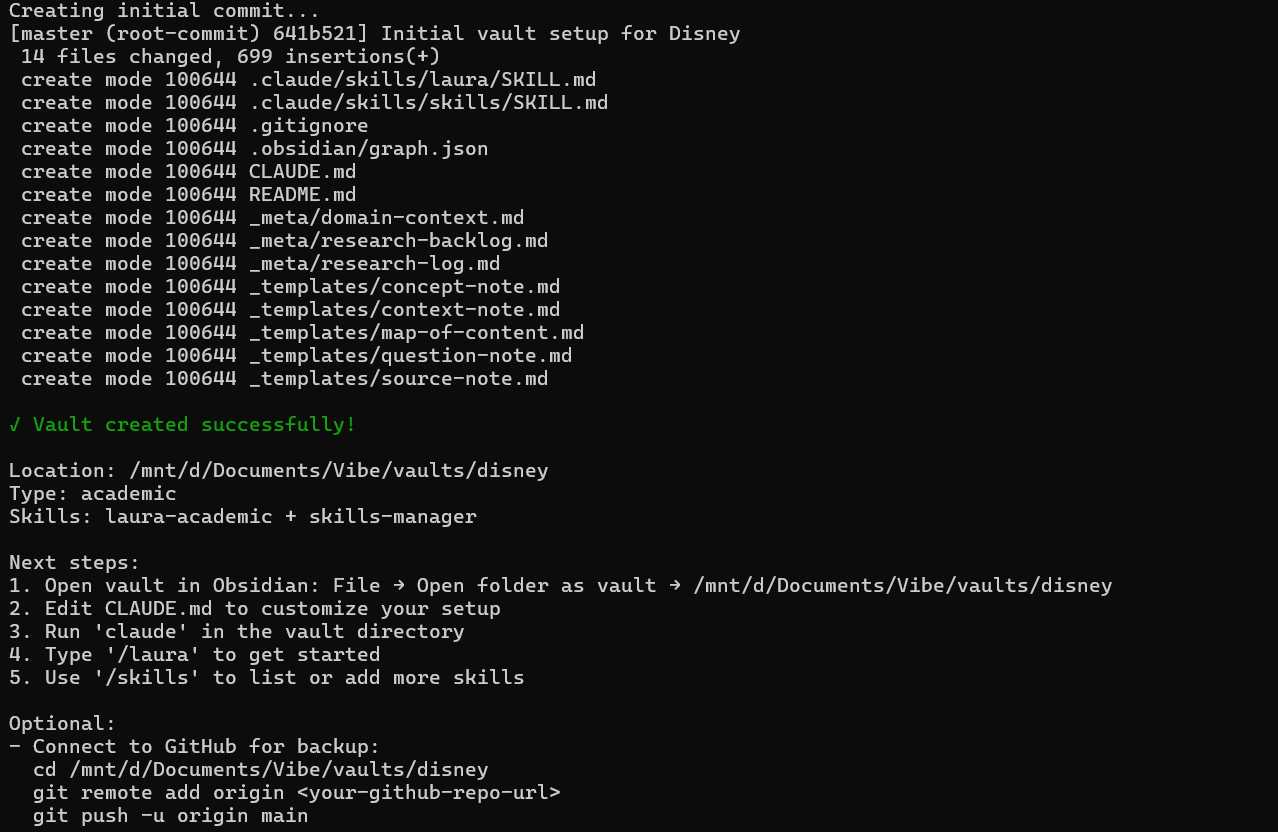
This creates a new folder with the right structure:
disney-animation/
├── concepts/        # Where ideas live
├── sources/         # Where references go
├── questions/       # Where gaps get tracked
├── themes/          # Where connections emerge
├── _meta/           # Research logs and backlogs
└── _templates/      # Note templates
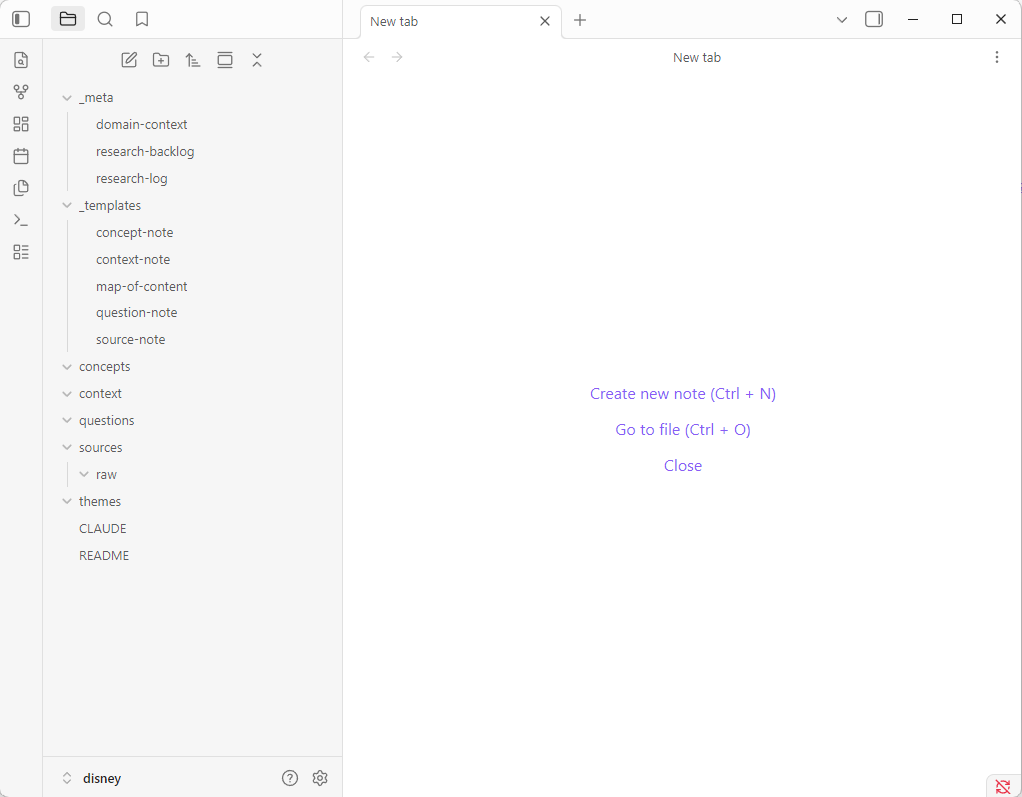
Open your vault in Obsidian:
- Open Obsidian
- Click “Open folder as vault”
- Navigate to your user folder → vaults → disney-animation
- Click “Open”
You’ll see an empty vault with the folder structure ready. Time to fill it.
Step 2: Wake Up Laura (1 minute)
We need to start Claude Code inside your vault folder.
In the same PowerShell window, type:
cd "$HOME\vaults\disney-animation"
claude
Claude Code will start. You’ll see a prompt where you can type.
Activate the research assistant by typing:
/lauraYou’ll see confirmation that Laura is loaded. She’s ready to build your knowledge base.
Step 3: Ask Your First Research Question (10 minutes)
Type your research question naturally:
What made Disney animation revolutionary? I'm interested in the technical
innovations and artistic principles that set Disney apart from other
animation studios in the early 20th century.
Watch what happens.
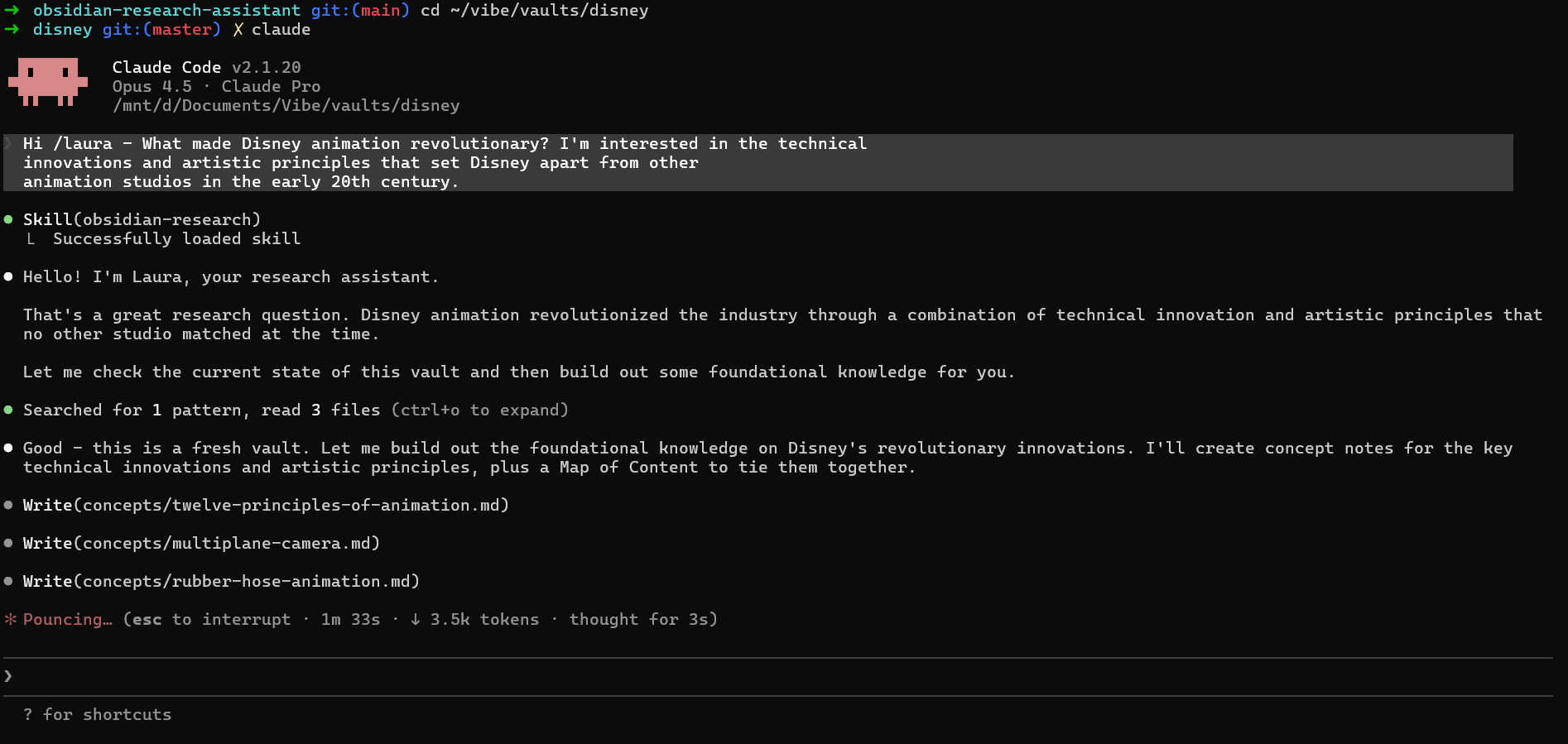
When Laura starts creating files, you’ll be asked to allow edits - say yes.

Laura doesn’t just answer the question. She creates files:
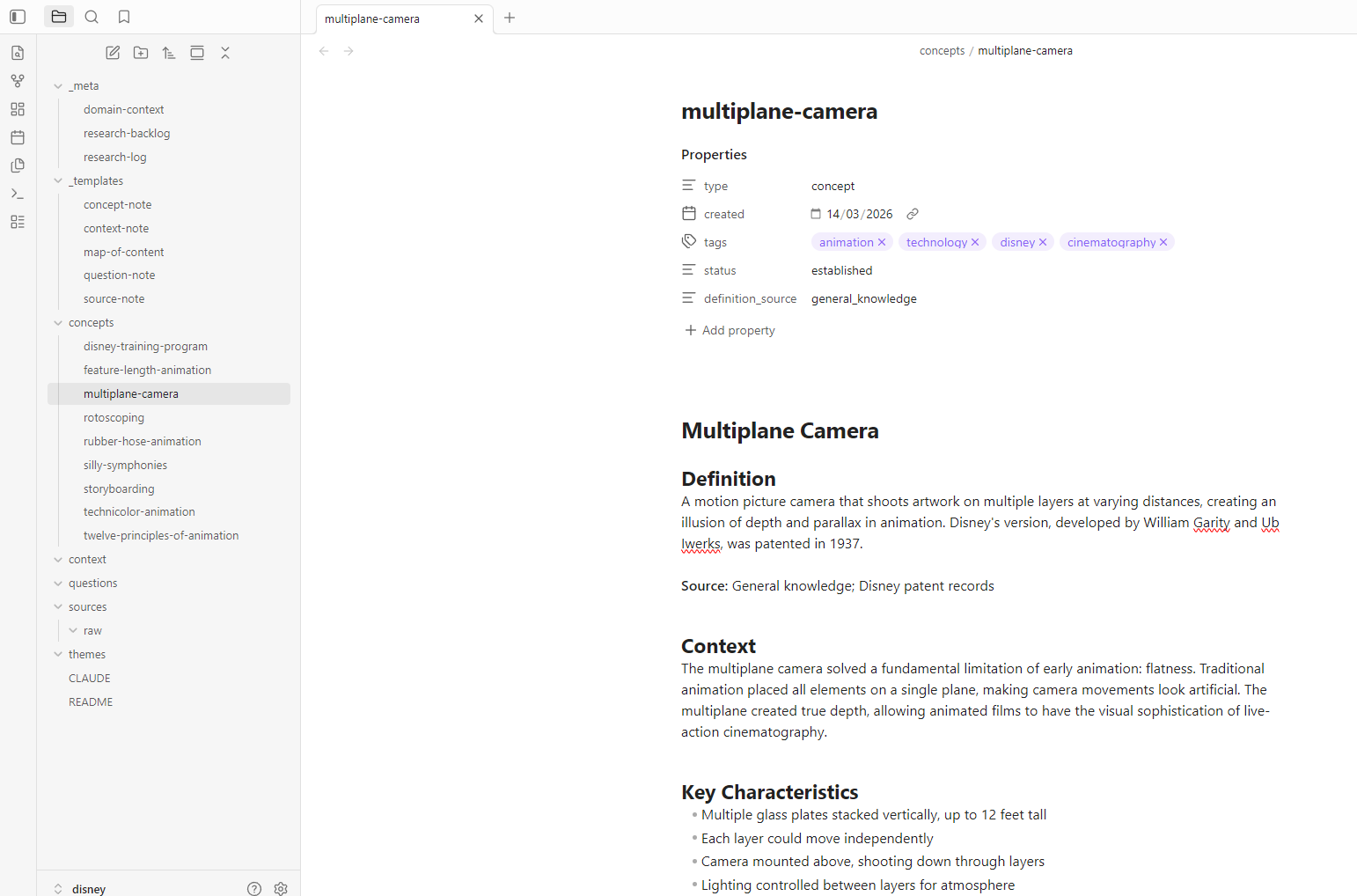
Concept notes appearing in /concepts/:
multiplane-camera.md- the depth illusion that transformed animationtwelve-principles-of-animation.md- the artistic framework developed by Disney animatorssynchronized-sound.md- how Steamboat Willie changed everythingfull-animation.md- Disney’s commitment to fluid, expressive movementnine-old-men.md- the core animators who defined the Disney style
Source notes appearing in /sources/:
- References to “The Illusion of Life” by Frank Thomas and Ollie Johnston
- Links to Disney’s patent filings
- Academic sources on animation history
A map of content appearing in /themes/:
disney-innovation-moc.md- connecting all the pieces
Open Obsidian. You’ll see the files appearing in real time. Click on any concept note - it’s not just a definition, but a structured document with context, relationships, and links to other notes.
Step 4: Explore a Concept Deeper (5 minutes)
Pick one concept that interests you. Let’s say the multiplane camera:
Tell me more about the multiplane camera. How did it work technically?
What films showcased it best? Who invented it?
Laura expands the existing note and creates new connections:
- Technical details added to
multiplane-camera.md - New concept note:
ub-iwerks.md(Disney’s technical genius) - New source note tracking the patent history
- Links to films like Snow White and Pinocchio
The knowledge is growing - not as isolated facts, but as connected understanding.
Step 5: Process a Source (5 minutes)
Real research involves sources. Let’s add one:
I found this article about Disney's animation innovations. Can you process it?
https://www.britannica.com/topic/Walt-Disney-Company
Laura fetches the article and creates a structured source note:
- Full citation
- Key points summarised
- Concepts extracted and linked
- Critical assessment (is this a reliable source?)
The source note links to concept notes. The concept notes link back to the source. Your knowledge base is becoming a web, not a list.
Step 6: See the Connections (2 minutes)
Now for the magic. In Obsidian, open the graph view: View → Graph view (or press Ctrl/Cmd + G).
You’ll see your knowledge visualised as a network. Concepts cluster around themes. Sources connect to the ideas they inform. Questions float at the edges, marking territory to explore.
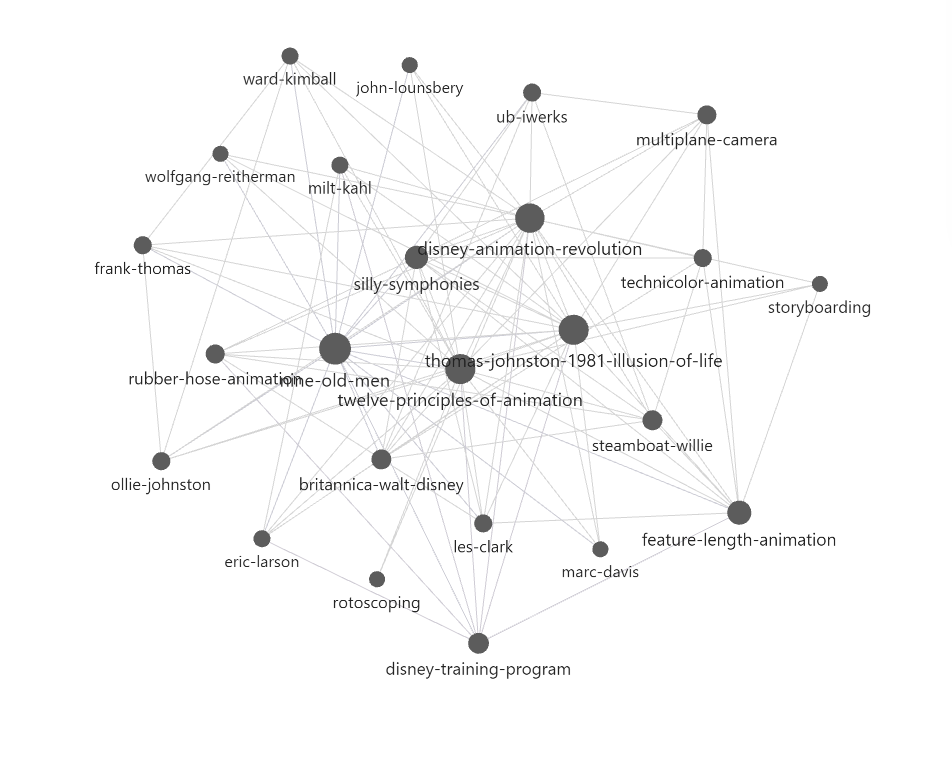
This isn’t just pretty - it’s useful. The graph reveals:
- Which concepts are central (many connections)
- Which are isolated (might need more research)
- How ideas relate across different sources
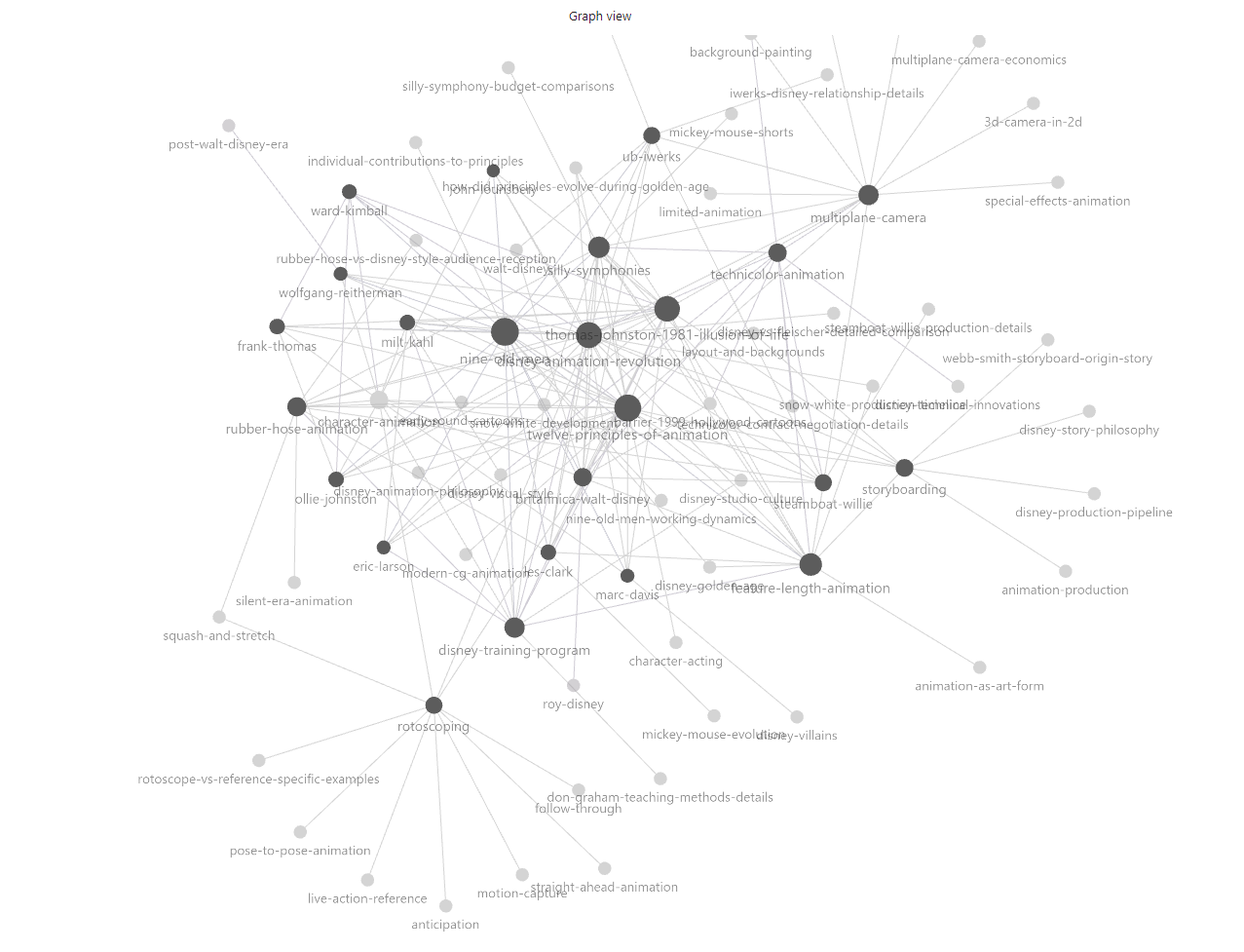
Notice the stub notes - concepts mentioned but not yet explored. These are research opportunities waiting to happen.
Step 7: Identify What’s Missing (2 minutes)
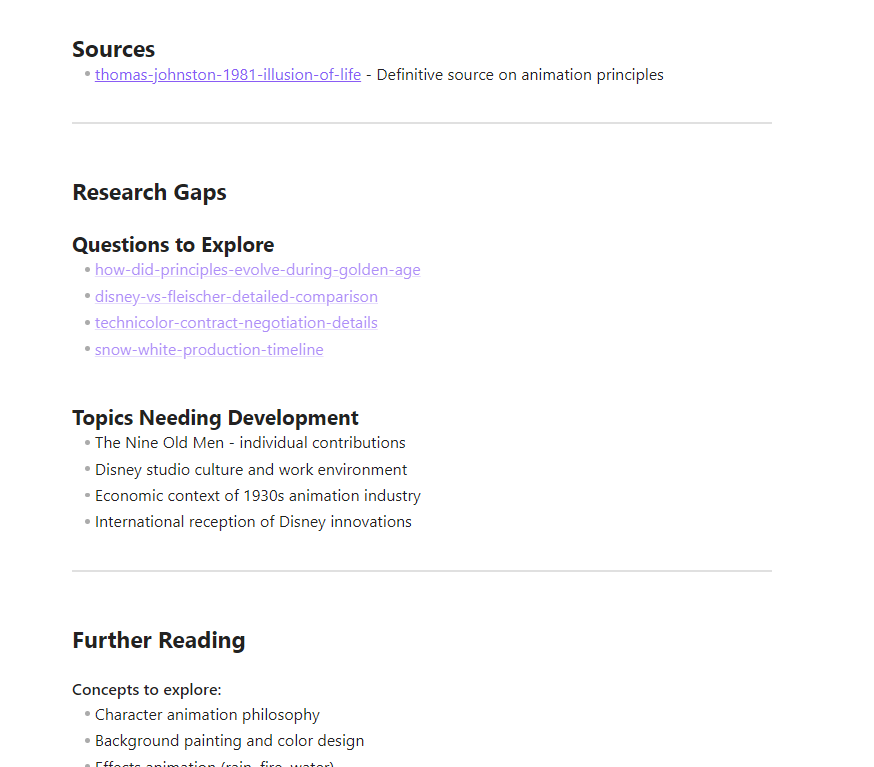
Good research knows its limits. Ask Laura:
What gaps do we have? What questions should we investigate next?She’ll review the vault and identify:
- Concepts mentioned but not yet explored
- Claims without source verification
- Contradictions between sources
- Natural next questions

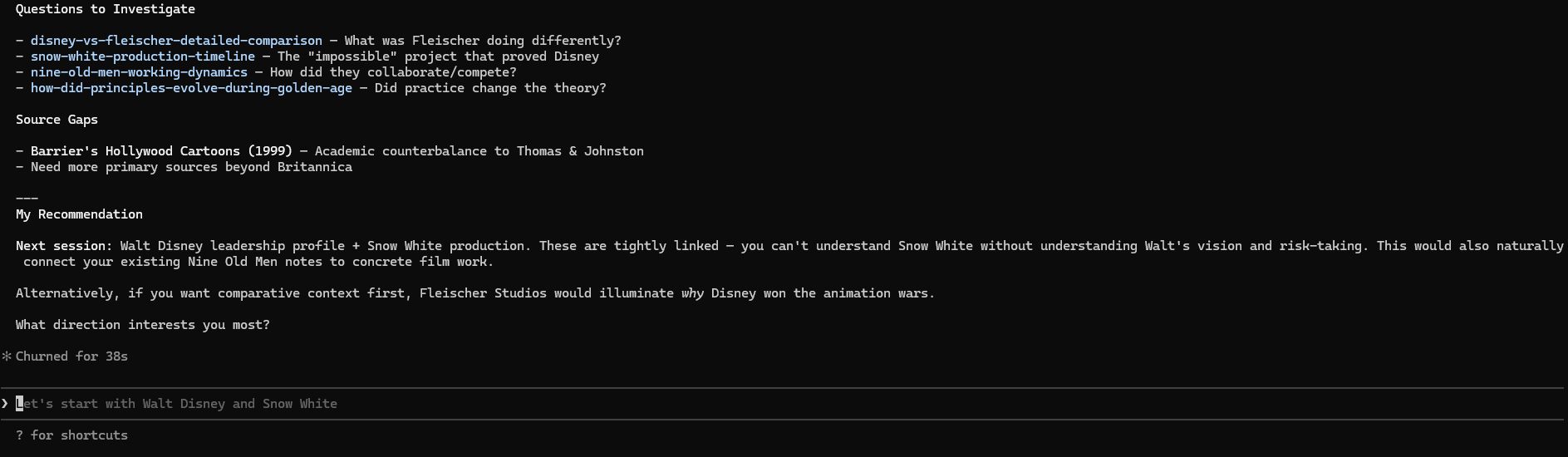
These become question notes in /questions/, and entries in your research backlog at _meta/research-backlog.md.
You now have a research agenda, not just a collection of notes.
What You’ve Built
In thirty minutes, you’ve created:
- 8-12 concept notes explaining Disney’s innovations
- 3-5 source notes with proper citations
- 2-3 question notes tracking gaps
- 1 map of content connecting themes
- A research backlog prioritising next steps
More importantly, you’ve built infrastructure. This vault will grow. Add sources, explore questions, connect ideas - the structure scales.
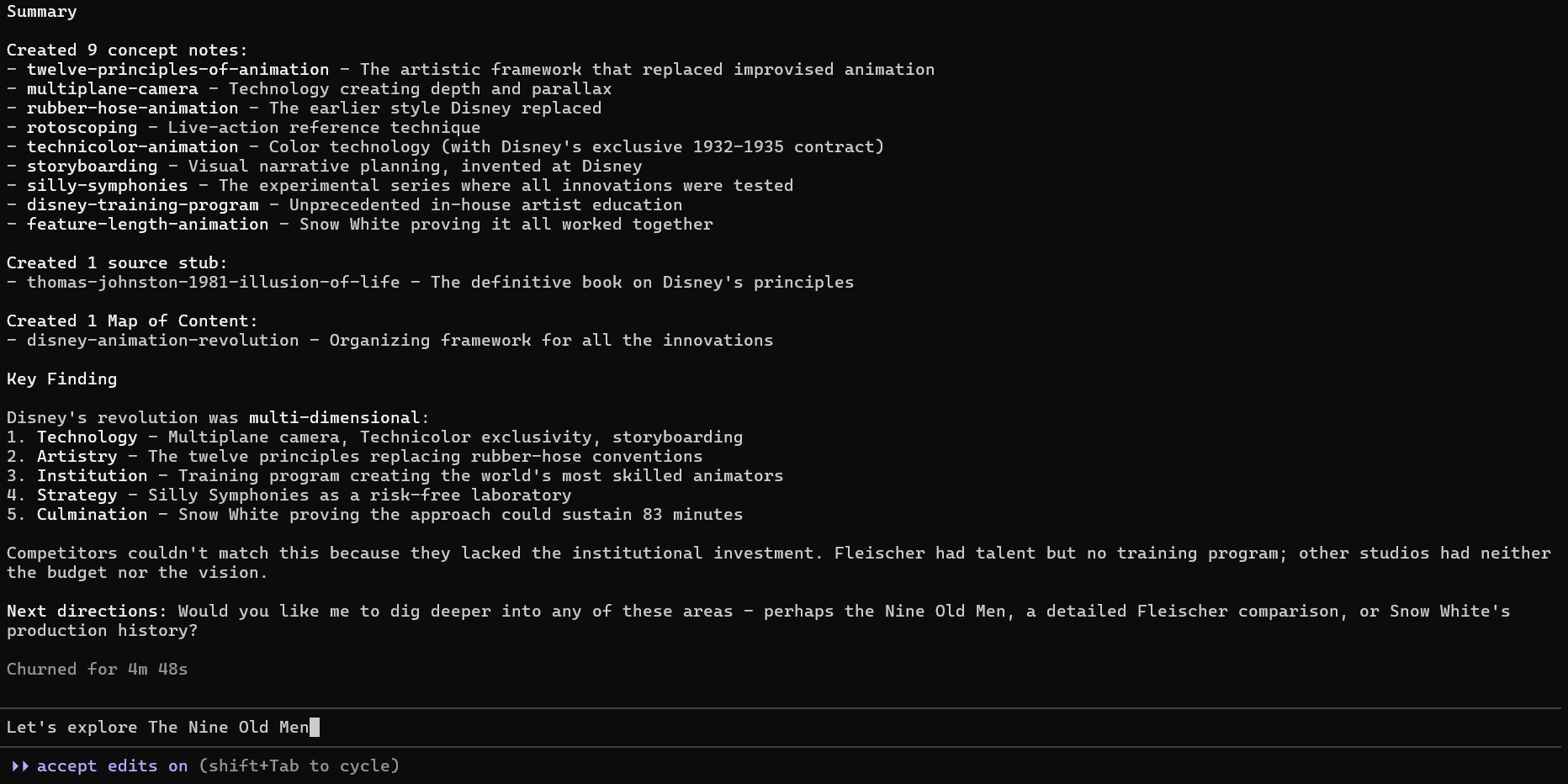
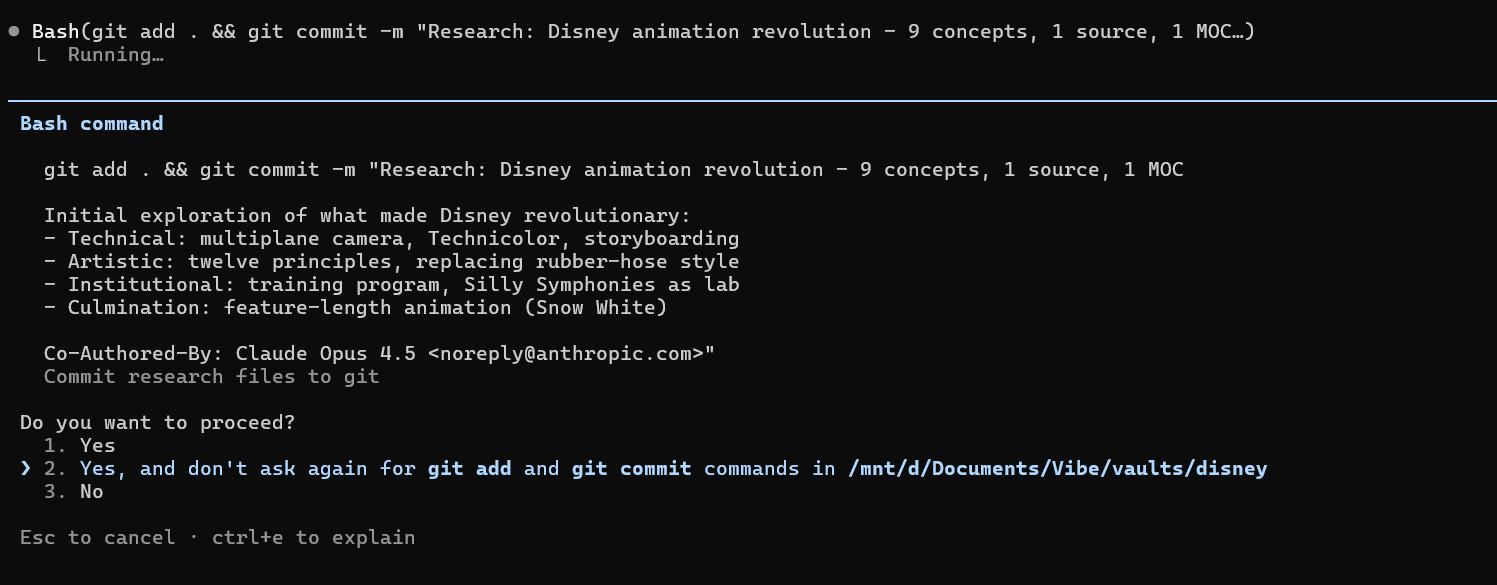
When you’re done for the day, just ask Laura to wrap things up. She’ll keep a record of progress and outstanding queries, then save your work. Your vault is backed up, versioned, and portable.
The Pattern
The Disney example was deliberately simple. But the pattern works for anything:
Academic research: Dissertation topics, literature reviews, theoretical frameworks
Professional development: Industry knowledge, competitive analysis, skill building
Personal interests: Historical deep dives, hobby research, creative projects
Interview preparation: Company research, industry context, case studies
The structure is always the same: concepts, sources, questions, context. The domain changes; the method doesn’t.
Try It Yourself
Pick a topic you’re curious about. Something you already know a little, but want to understand better.
Create a vault. Wake up Laura. Ask your question.
Watch the files appear. Follow the connections. See what questions emerge.
Thirty minutes from now, you’ll have research infrastructure that persists, connects, and grows.
The Obsidian Research Assistant is open source on GitHub. The Disney vault from this tutorial is available as a sample vault if you want to explore the finished result.